


Latency Routing and Automatic Failover Without Retry Code
Measure candidate model latency, configure explicit fallbacks, understand the gateway attempt budget, and verify the result on your own p95.
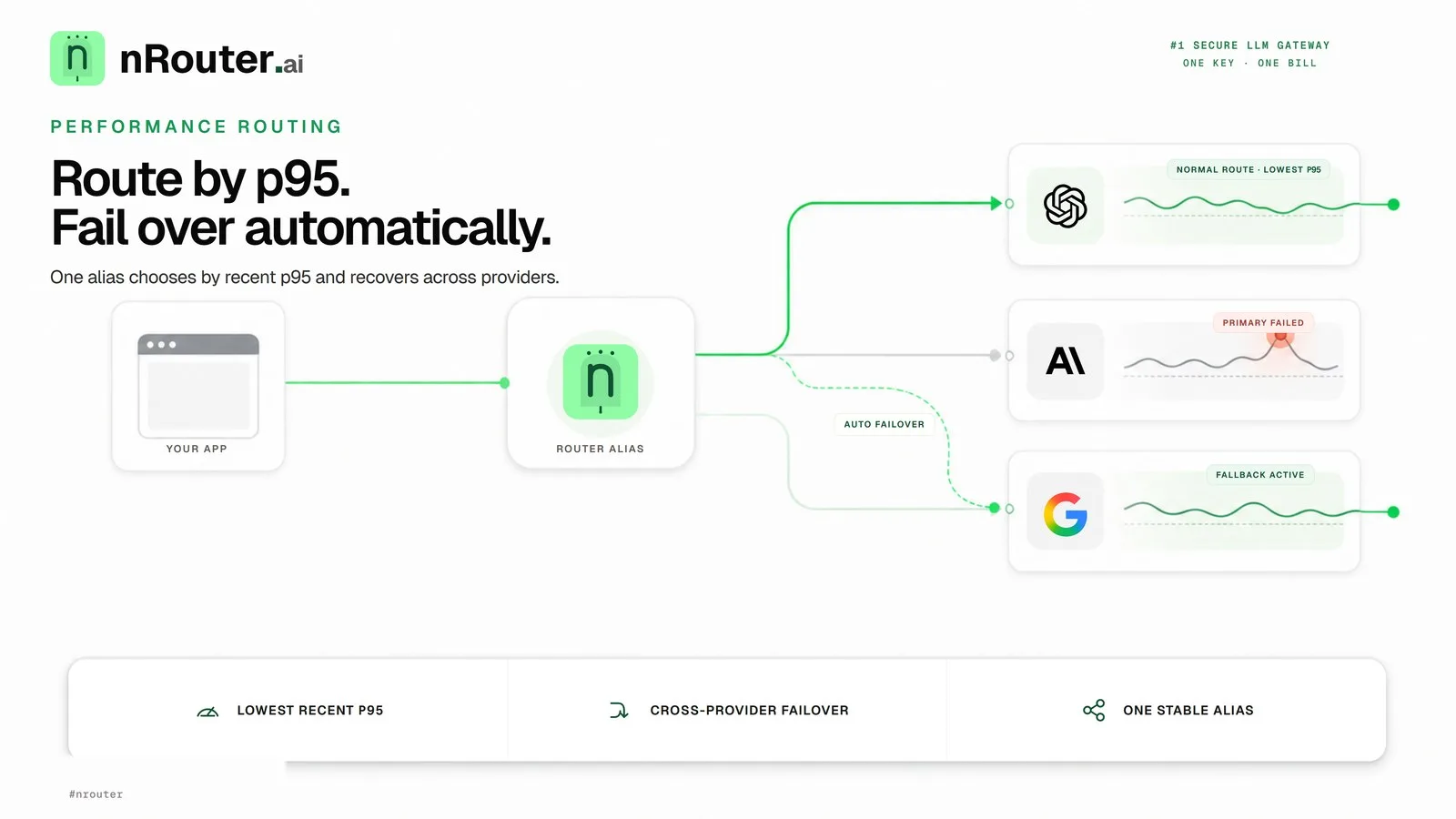
The short answer: measure candidate models on your workload, name the one that meets your target, and configure an ordered fallback list for eligible upstream refusals. nrouter/auto selects by task or list rate, not lowest p95. Time requests and verify the serving model in the response.
The short answer
A managed LLM gateway can centralize routing, timeouts, and provider access while keeping the application request contract stable.
Pin an application to one model name and you inherit that provider's worst day. The usual response is defensive code in every service — try A, catch the timeout, fall back to B, keep a list of which models are healthy, tune timeouts by hand. That logic rots, behaves differently in each codebase, and is close to impossible to test against a real outage, because you cannot schedule one.
Moving it into the gateway makes it one configuration instead of N implementations. This guide covers the four things that actually decide your tail latency: the routing strategy, the failover behavior you configure, the bounded attempt policy and the failure stages that can advance the chain, and the measurement that tells you whether any of it helped.
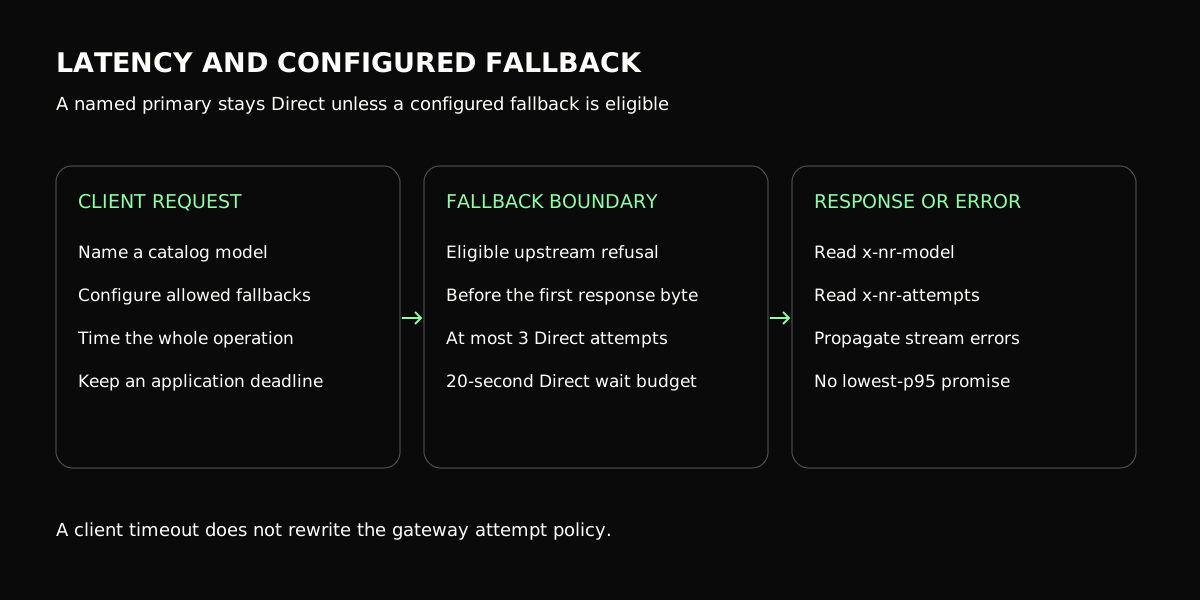
Figure 1: Configured fallback applies to eligible upstream refusals before response bytes; measure latency on your workload.
When you need this
Your p95 tracks one vendor's status page. Everyday requests are fine and the tail is not, and the tail moves when a single provider has a regional wobble. Latency routing is aimed exactly at this: it moves ordinary traffic onto whichever candidate is currently quickest for you.
A rate-limit wave became a user-facing error wall. Provider limits are
per-organisation and shared across everything you run against that account —
Anthropic documents its own RPM/TPM ceilings and the 429 and overload responses
they produce at
docs.anthropic.com — so a busy
batch job can exhaust the quota an interactive surface depends on. A perfectly
healthy alternative was one HTTP call away and nothing was configured to reach
it.
A configured fallback can cover eligible provider refusals before response bytes begin, if the alternative model is allowed and able to serve the request.
Every service has its own retry helper, and they disagree. Different backoff, different timeouts, different opinions about what is retryable. Consolidating that into one org-level policy is usually a bigger reliability win than any individual tuning, because it makes the behaviour knowable.
What you need first
- An organization with credits. nRouter is credit-based and paid pay-as-you-go access requires a card: the minimum purchase is $5 at a 0% platform fee (a purchase charges exactly the credits bought). See Pricing.
- Owner or admin role. Router Settings is editable by owners and admins; members and viewers see it read-only with save disabled. Roles are in Team Management.
- At least two candidate models from different providers, chosen from the live catalog at /models — each entry shows provider, mode, max tokens, cost, capabilities and current health. Anthropic, OpenAI and AWS Bedrock are live; check the catalog for the exact list your organization can call.
NROUTER_API_KEYexported. Every block below runs as written againsthttps://api.nrouter.ai/v1.
export NROUTER_API_KEY="sk-nrouter-your-key-here"

curl -sS https://api.nrouter.ai/v1/models \
  -H "Authorization: Bearer $NROUTER_API_KEY" | head -c 300
Step 1 — Baseline your latency before you change anything
You cannot claim an improvement you did not measure first, and "it feels faster" has never survived a review. Take the baseline before touching routing.
Open Advanced Analytics → Benchmark at /[organization]/advanced-analytics/benchmark. It gives a
model-by-model table on your own traffic: requests, tokens, spend, cost per 1k
tokens, cost per request, average and p95 latency, throughput in tokens per
second, error rate and cache-hit rate. The headline picks out the cheapest,
fastest, most reliable and highest-throughput model you have actually used.
Note the caveat for long windows: over six months or a year, latency columns are capped at a 90-day lookback while spend and tokens use the full window, and a note appears when that applies. Compare like with like.
Then screenshot or export the p50/p95/p99 for the model you are about to replace. Why those three percentiles and not an average is argued in measuring real LLM latency — the short version is that an average hides the exact experience you are trying to fix. Gil Tene's How NOT to Measure Latency is the canonical treatment of why, including the coordinated-omission effect that makes a load generator's own averages flatter than the truth; the Google SRE book's chapter on service level objectives is where a percentile becomes a number you can hold a service to.
Step 2 — Select a model and configure its fallback list
Measure candidate models directly, then name the model that meets your latency and quality target. nRouter no longer exposes a Latency or Weighted Smart Router strategy: those aliases were withdrawn on 2026-10-15. nrouter/auto offers Best for the task and Lowest cost; neither should be described as a lowest-p95 strategy.
| Choice | When to use it | What it does not promise |
|---|---|---|
| Named catalog model | You have measured a suitable primary | Automatic substitution without your configured fallbacks |
| nrouter/auto | You want eligible task-aware or list-rate selection | A latency-ranked alias or a guaranteed lower p95 |
| Saved or per-call fallback list | You accept specified alternatives on eligible upstream refusals | Recovery after response bytes have started |
from openai import OpenAI
import os
import time

client = OpenAI(base_url="https://api.nrouter.ai/v1", api_key=os.environ["NROUTER_API_KEY"])
started = time.perf_counter()
raw = client.chat.completions.with_raw_response.create(
    model="gpt-5.4-mini",
    messages=[{"role": "user", "content": "Summarise this in one line: ..."}],
    extra_body={"nrouter_fallbacks": ["claude-sonnet-5-5"]},
)
print(raw.headers.get("x-nr-request-id"))
print(raw.headers.get("x-nr-model"))
print(round((time.perf_counter() - started) * 1000, 1))
print(raw.parse().model)
Choose allowed, served models from the catalog; the names above illustrate a request shape, not a latency ranking. Only name fallback targets whose quality, region and cost you accept. The routing setup explains saved and per-request lists. The client times the whole operation; it must not infer a latency percentile from one response.
The cost-vs-quality guide covers the separate decision of which tasks can safely move to a cheaper model.
Step 3 — Understand the configured failover contract
A Direct request uses the named model and only tries other models through a saved fallback list or nrouter_fallbacks on that request. A request to nrouter/auto has its own bounded selection and fallback loop. Fallback advances only when a provider cannot take the request: upstream 429, 503 or Anthropic 529, a misconfigured provider deployment returning 401 or 404, an unopened connection, or a timeout before the first response byte. Upstream 500, 502, 504, context-window refusals, and errors after response bytes arrive are not general fallback triggers.
A Direct call has no promise of an equivalent cross-provider substitute unless you supplied an eligible fallback. Put the ordered list in Router Settings or pass nrouter_fallbacks for this call; the per-call list replaces the saved one. For nrouter/auto, a supplied list replaces its chosen fallback list, and [] disables auto-fallbacks.
Before enabling a target, check its capabilities and context window against the workload. Do not use a large-context fallback to justify sending an invalid primary request: an input-size refusal is not a general fallback trigger. Return partial streaming errors to the application instead of silently joining text from two models.
The provider fallback guide explains the ordering, while Per-Request Options is the field-level reference.
Step 4 — Budget attempts and client waiting time
Direct requests allow at most 3 provider attempts within a 20-second wait budget; nrouter/auto uses its own bounded 3-attempt loop. Attempts include the initial provider call: three attempts do not mean three retries after it. Use the supported nrouter_fallbacks control for a per-call chain and nrouter_optimize for the auto selection objective. A client SDK timeout bounds how long the client waits; it does not rewrite the gateway's attempt policy. See Router Settings and Per-Request Options.
| Limit | Direct | nrouter/auto |
|---|---|---|
| Provider attempts | At most 3, including the first | Its own bounded 3-attempt loop |
| Gateway wait policy | 20-second cumulative wait budget | Separate bounded selection/fallback loop |
| Per-call fallback selection | nrouter_fallbacks replaces the saved list | nrouter_fallbacks replaces selected fallbacks |
Design the application's deadline for the whole operation, including connection setup, provider generation and client retries. Do not add independent retry loops at every layer: a client that resends a completed generation creates another request and may incur another charge. A provider-side refusal before generation and a client timeout after bytes arrived are different failure stages.
For status handling, distinguish an upstream provider's Retry-After hint from a gateway budget refusal; the header is specified in RFC 9110 and status semantics in RFC 6585. A budget refusal is not permission to walk another provider chain.
Caching is on by default for eligible repeated requests. Use nrouter_cache: false during controlled latency measurements and record whether each observation was a cache hit. A cached response and fresh model generation are different populations; mixing them can hide the slow path rather than improve it.
Step 5 — Wire the alerts that tell you it stopped working
Routing that quietly degrades is worse than no routing, because it removes the
signal you used to get from your own error rate. Turn on the telemetry alerts on
the Alerts page (/[organization]/alerts). Every alert type in the catalog is
live.
| Alert | Fires when |
|---|---|
| LLM Too Slow | p95 response latency over the last 10 minutes exceeds your threshold |
| LLM Exceptions | The error rate over the last 10 minutes crosses your threshold |
| Hanging Requests | A single request runs longer than your timeout threshold |
| Outage Alerts | A single provider fails at least your threshold share of requests |
| Region Outage | A single regional endpoint fails at least your threshold share of requests |
Turning one on opens its configuration inline: set a threshold or keep the default, then pick the channels it delivers to — Email, Slack, Microsoft Teams, Jira, or a generic webhook. Channels are created under Alert Channels; until one is bound, the alert evaluates and has nowhere to deliver, which is a silent failure mode worth checking for. To pause during a maintenance window, an owner or admin switches the toggle off and back on; there is no separate snooze. Keep the set small and symptom-shaped for the reasons set out in the SRE book's monitoring chapter; reference: Alerts and Notifications.
Verifying it worked
- Confirm the primary and fallback configuration. Send one call through it and read the resolved model off the headers, timing the call on your own clock:
curl -sS -D - -o /tmp/resp.json -w 'elapsed=%{time_total}s\n' \
  https://api.nrouter.ai/v1/chat/completions \
  -H "Authorization: Bearer $NROUTER_API_KEY" \
  -H "Content-Type: application/json" \
  -d '{"model":"gpt-5.4-mini","messages":[{"role":"user","content":"ping"}]}' \
  | grep -iE '^(x-nr-(request-id|model|request-cost|cost-status)|elapsed=)'
python3 -c "import json;print(json.load(open('/tmp/resp.json'))['model'])"- Compare two candidates on the same clock. Run the same prompt against each
model by name and time both calls yourself — curl's
%{time_total}is one clock, one definition, so the comparison is real in a way that two vendor dashboards never are:
for MODEL in gpt-5.4-mini claude-sonnet-5-5; do
  echo "== $MODEL"
  curl -sS -D - -o /dev/null -w 'elapsed=%{time_total}s\n' \
    https://api.nrouter.ai/v1/chat/completions \
    -H "Authorization: Bearer $NROUTER_API_KEY" \
    -H "Content-Type: application/json" \
    -d "{\"model\":\"$MODEL\",\"messages\":[{\"role\":\"user\",\"content\":\"Name three uses for a gateway. Be terse.\"}]}" \
    | grep -iE '^(x-nr-(request-id|request-cost)|elapsed=)'
done- Re-read the Benchmark report after a day of real traffic and compare p95 against the baseline you took in step 1. One day is the minimum honest window; an hour is noise.
- Confirm a failover actually occurred at least once. Search the request logs
at
/[organization]/logsfor calls where the served model differs from the one your application asked for, or watch for anx-nr-modelon a response naming a model you did not ask for. A failover path you have never seen fire is untested. - Confirm cost did not quietly move. Selecting a primary by measured latency favours speed, and
the fastest candidate is not always the cheapest.
x-nr-request-costcarries the settled cost and pairs withx-nr-cost-status; when a call cannot be priced the cost header is absent and the status readsunpriced— never a zero. Watch cost per 1,000 tokens on/[organization]/advanced-analytics/cost-vs-usagefor a week after the change.
What goes wrong
You treated failover as an uptime guarantee. It retries on the next healthy provider when the primary fails, which meaningfully reduces user-facing errors. It cannot route around a problem in your own request — a malformed body, a context-window overflow that every candidate will also reject, an expired downstream dependency. Watch p95 and p99 for the real effect on your traffic.
You expected fallback on every error. Fallback handles only documented upstream refusals before response bytes begin. A 500, 502, 504, context-window refusal or interrupted stream is not a general trigger.
You confused attempts with retries. Three provider attempts include the first call; they are not three more retries. A client-side timeout does not replace the gateway wait budget.
You made your cheapest flaky model both the default and the fallback. Then a bad day for that provider takes out the primary path and the recovery path together. Keep the cost decision and the reliability decision separate — the cost half is cost-vs-quality routing.
You turned on an alert and never bound a channel. It evaluates and delivers nowhere. Check every enabled alert has a channel under Alert Channels.
Try it
For a routing-performance evaluation, eligible new accounts can receive $100 in promotional credits after email and phone verification, without a card. Promotional access has a restricted model set and spending limits; see current pricing and promotion terms.
Routing strategies, fallback chains, alerts, guardrails, A/B tests, prompt management and evals are included on every plan. nRouter sells one plan, pay as you go, with a 0% platform fee; a credit purchase charges exactly the credits bought ($5 costs $5.00, $100 costs $100.00) and nRouter absorbs card-processing costs. Usage settles at the served model's exact list price (0% markup). No subscription plan is sold (existing subscribers keep theirs). The reasoning behind our feature model is in Every Feature on Every Plan: No Fee, No Gate.
Load paid credits for the full catalog, measure two allowed models on the same workload, configure a fallback you accept, and compare p95 over a representative traffic window. Start at app.nrouter.ai/signup, or race two models by hand in the Playground first. Reliability questions are welcome in the nRouter community.
See also
Use route requests automatically, an OpenAI-compatible API, and LLM observability to measure latency and provider outcomes.
- LLM Latency: p50, p95, p99, and Time-to-First-Token — why an average hides the experience you are trying to fix, and how to read the percentiles you just baselined.
- Provider Fallback Chains: Surviving an OpenAI Outage — how to order a chain by reliability, then latency, then cost, and what to do about the billing of a second attempt.
- Cost-vs-Quality LLM Routing: Which Tasks Can Go Cheap — how to evaluate cheaper eligible models while keeping a measured quality signal.
- RPM and TPM Rate Limiting Per Key, Team, and Org — the velocity control that decides whether a retry storm ever reaches a provider at all.
- LLM Routing for AI Agent Pipelines — routing decisions when the caller is an agent loop rather than a request handler, where one slow hop stalls the whole chain.
- Hard LLM Spend Caps at Org, Team, User, and Key Scope — the ceilings that bound a retry storm in dollars while failover bounds it in errors.
- Models — the live catalog with provider, capabilities, context window, cost and current health for every candidate.
Sources
Verified 2026-06-24; the external references were re-checked on 2026-08-23. Every strategy, default, header and alert type above comes from nRouter's own documentation, and the model names in the examples are illustrative — check the live catalog for what your organization can call today. If something has drifted, email hello@nrouter.ai and we will correct it.
- Why the tail, not the mean, is the number to route on: Gil Tene, How NOT to Measure Latency
- Turning a percentile into a commitment, and keeping the alert set small: Google SRE book, Service Level Objectives and Monitoring Distributed Systems
Retry-Aftersemantics and the429status the failover path sees: RFC 9110 and RFC 6585- A provider's own rate-limit and overload behaviour, behind step 3: Anthropic rate limits
- Supported selection, configured fallbacks, attempt limits and caching: Router Settings
- Alert types, thresholds, channels and pausing: Alerts and Notifications
- Benchmark, Key Usage and Cost vs Usage reports: Analytics and Reports
- Request log fields and the request ID: Observability and Logs
- Response headers and request shape: Chat Completions API
- Model catalog fields and health: Model Catalog
- Pay as you go and 0% platform fee: nrouter.ai/pricing
See also
Compare provider routing and deployment trade-offs in the nRouter vs Vercel AI Gateway comparison.
Frequently asked questions
What is LLM latency routing and why does it matter?
Pin an application to one model name and you inherit that provider's worst day. The usual response is defensive code in every service — try A, catch the timeout, fall back to B, keep a list of which models are healthy, tune timeouts by hand.
When do you need LLM latency routing?
Your p95 tracks one vendor's status page. Everyday requests are fine and the tail is not, and the tail moves when a single provider has a regional wobble.
What do you need before using LLM latency routing?
An organization with credits. nRouter is credit-based and paid pay-as-you-go access requires a card: the minimum purchase is $5, at a 0% platform fee.
Support engineer at nRouter, writing routing and performance guides from real customer workloads.
More from Guides
All posts →
Measure TTFT and Trace an LLM Request Step by Step in Python
Send an nrouter/auto request with the Python SDK, read routing, guardrails and cost from its headers, fetch the request back by id, print every gateway step with its start, end and duration, then measure TTFT and latency over N runs.
 nRouter Team
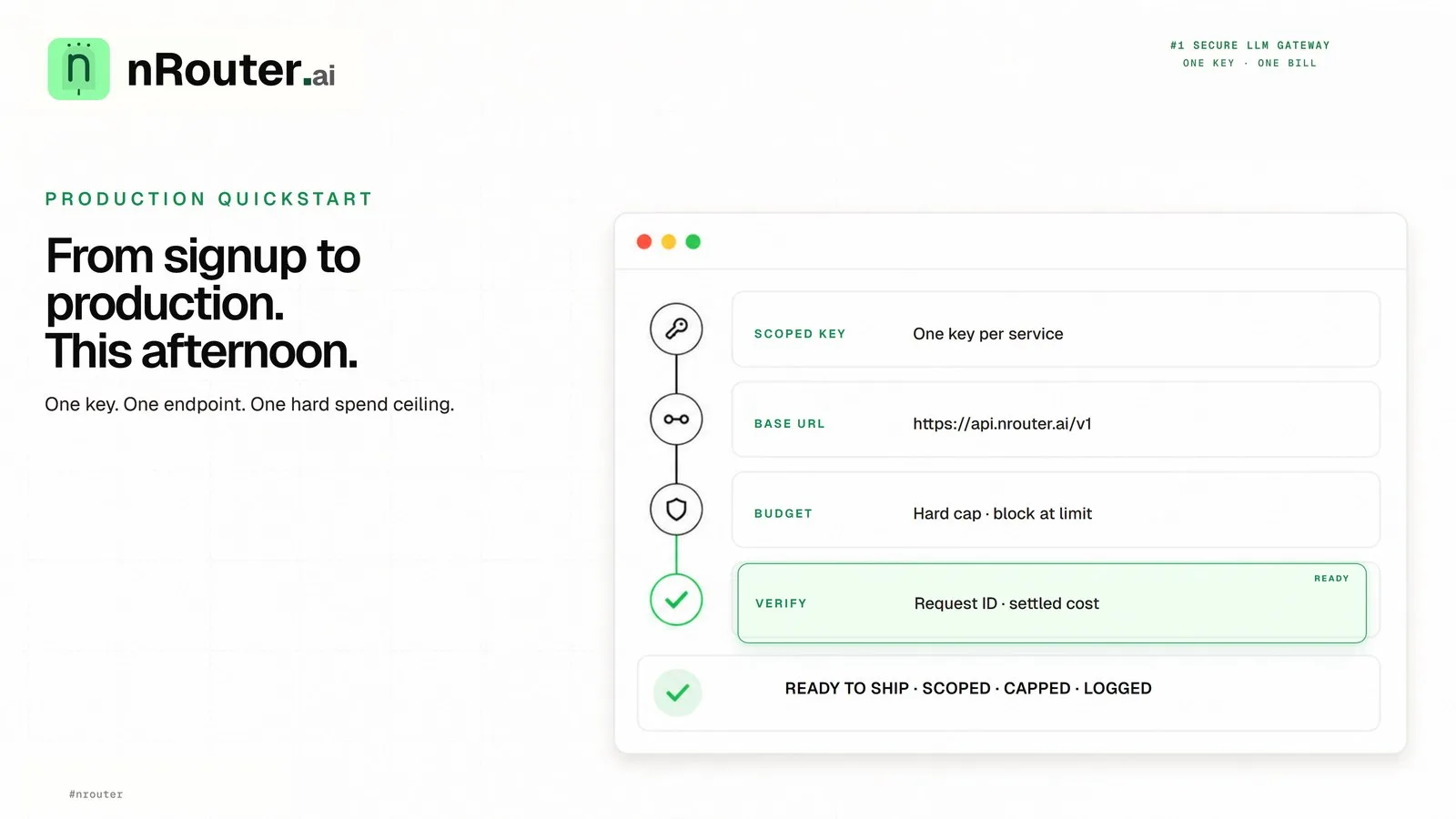
Ship Your First AI Feature: Signup to Production in an Afternoon
A step-by-step path from a funded nRouter account to a production LLM call with a spend ceiling on it — create a scoped key, point your existing OpenAI client at one base URL, cap the key, and verify the cost header came back.
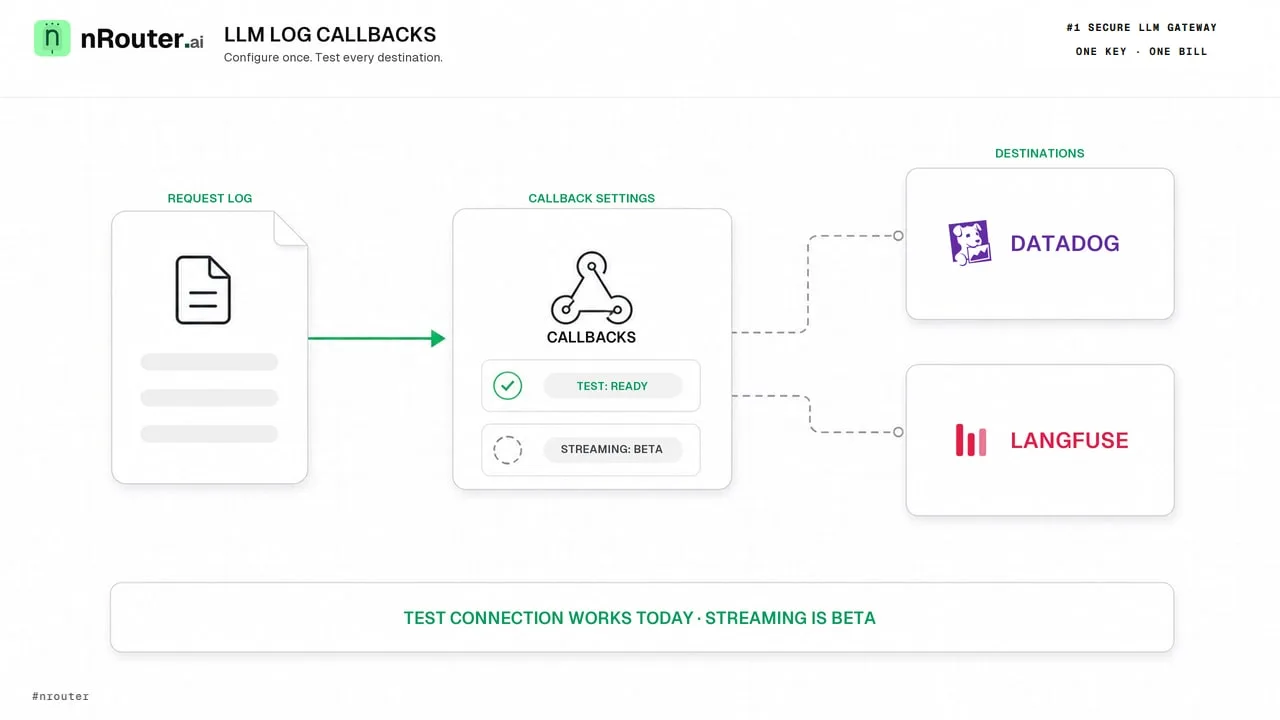
LLM Logs in Datadog and Langfuse: What Works Today
nRouter does not deliver request logs to Datadog or Langfuse yet. Here is what works today: response headers, request tags, CSV export and alert channels.