


API Key Management
Manage nRouter virtual API keys with granular scopes, zero-downtime rotation, environment separation, key expiration limits, and IP address allowlists.
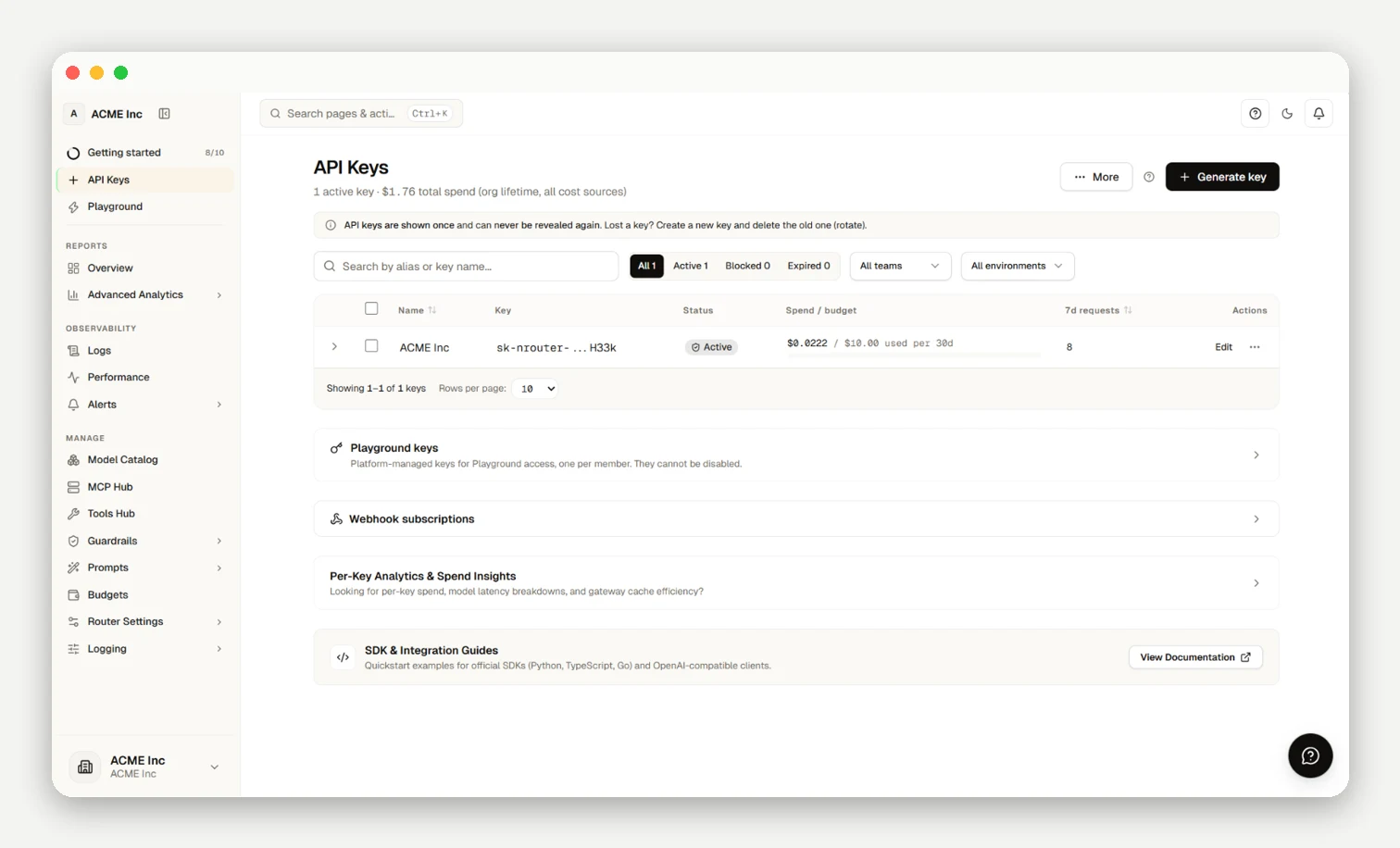
Virtual API keys (sk-nrouter-*) isolate access, rate limits, and spend across your teams and environments. Every key is scoped to a single team, supports model and endpoint allowlists, and can be rotated with a zero-downtime grace window. If you have not created a key yet, start with Authentication.
Key Scopes
Every API key is scoped to exactly one team within your organization, inheriting that team's permissions:
- Allowed models: Restrict access to specific model names (
gemini-2.5-pro,gpt-5.4-mini). Empty means all team models. - Allowed endpoints: Restrict routes (e.g.
/chat/completionsvs/embeddings). - Rate limits (RPM/TPM): Per-key limits evaluated as
Effective Limit = min(Key Limit, Team Limit, Organization Plan Limit). - Budget cap: Optional spend ceiling returning HTTP 402 (
x-nr-limit-source: budget) upon exhaustion. - IP allowlist: CIDR blocks gating inbound requests (unmatched IPs return 401 with $0 spent).
Zero-Downtime Rotation
Rotate keys without downtime via Rotate key (RotateKeyDialog):
- Mint replacement: Generates a new key cloning all existing scopes, allowlists, and limits.
- Grace window: Both keys remain active for a configurable window (1–168 hours).
- Deploy & verify: Update your application, confirm traffic shifts in the dashboard, then revoke the old key.
Environment Separation
| Environment | Key prefix | Example name |
|---|---|---|
| Local dev | dev- | dev-checkout-service |
| Staging | stage- | stage-checkout-service |
| Production | prod- | prod-checkout-service |
Lifecycle & Audit
Keys support configurable expirations (Never, 30 days, 90 days, or custom timestamp) and record create, rotate, and revoke events in the audit trail. Manage active keys on /keys.
Frequently asked questions
Who on my team can create, edit, or revoke API keys?
Owners and Org Admins manage all keys, Team Admins manage team keys, and members manage their own keys within plan limits.
Can I restrict a key to only certain models?
Yes, set an Allowed models list; calls to unlisted models are rejected at pre-flight with zero charge.
Is a key tied to my whole organization or just one team?
Every key is scoped to exactly one team, inheriting that team's permissions and model boundaries.
How do I rotate a key without downtime?
Select Rotate key to mint a cloned key that runs concurrently with your old key across a 1–168 hour grace window.
Can I set spending or rate limits on an individual key?
Yes, set per-key budget caps (HTTP 402 on breach) and RPM/TPM ceilings (Effective Limit = min(Key Limit, Team Limit, Plan Ceiling)).
What happens when a key expires?
Expired keys return HTTP 401 until replaced with a new key.
How do I tell whether a key is still in use before I revoke it?
Check last-used timestamps and request volume on /keys before revoking an existing key.
Is there an audit trail of key changes?
Yes, create, rotate, and revoke events log actor, source IP, and timestamp in the organization audit trail.
Why can't I just replace the secret behind one key id?
Dual-key rotation ensures explicit handoff and prevents orphaned services from running under reused IDs.
Should I reuse one key across dev, staging, and production?
No, separate keys per environment to prevent staging tests from exhausting production rate limits or budgets.