


Prompt Management
Manage, version, test, and deploy enterprise prompt templates directly within nRouter. Streamline collaboration and iterate on AI prompt engineering workflows.
Manage, version, test, and deploy enterprise prompt templates centrally across teams and virtual keys without modifying application code. Standardize prompt iteration, evaluate live variables, and compare model variants from the dashboard.
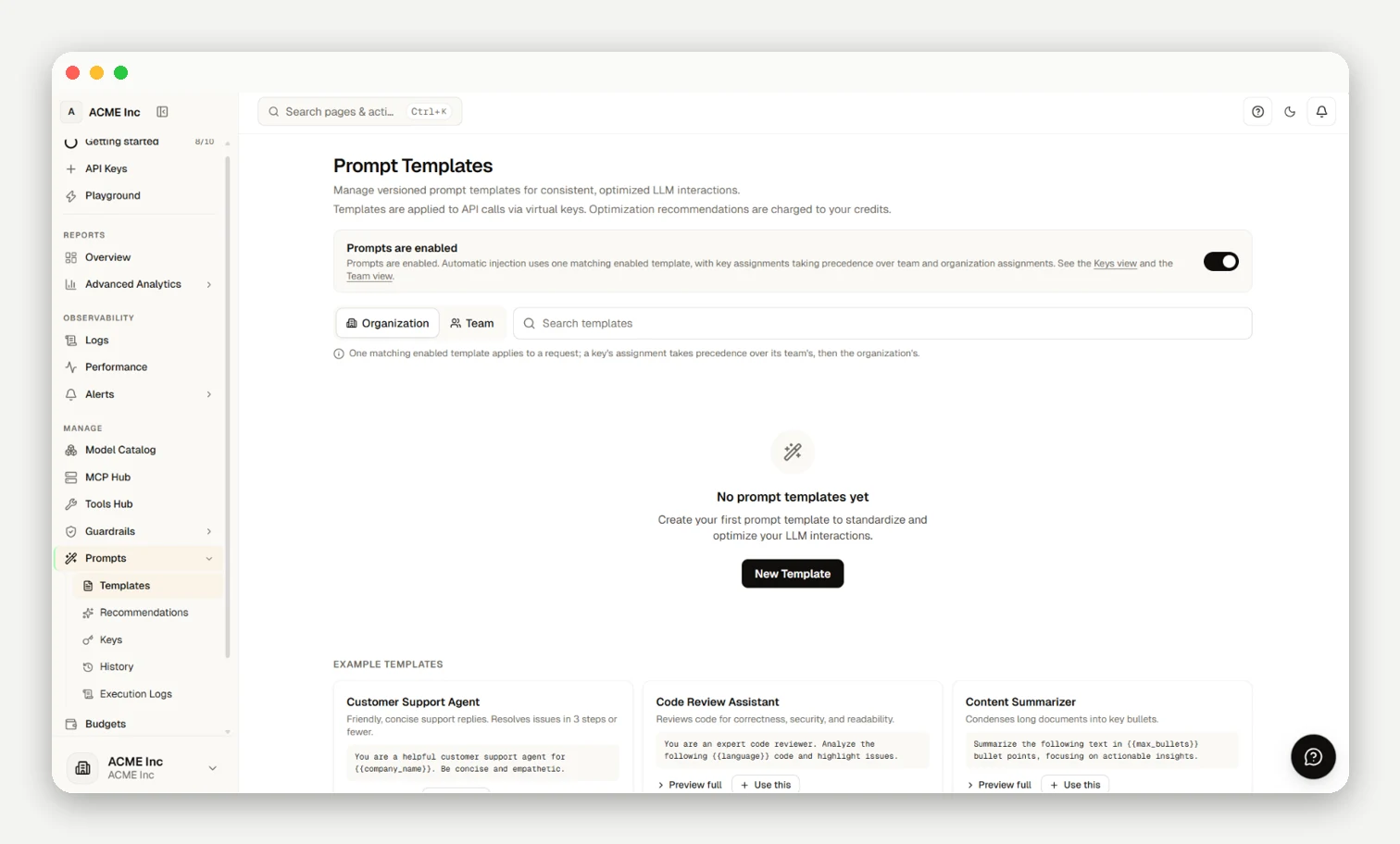
Template Management & Execution
Manage templates at /[organization]/prompts (owner or admin roles required; members have preview access):
- Templating: Uses Jinja2
{{variable}}syntax with runtime auto-population for{{org_name}},{{user_id}},{{model}}, and{{timestamp}}. - History & Diffs: Compare token diffs across revisions and execute one-click rollbacks at
/[organization]/prompts/history. - Bindings: Bind templates via Prompt → Keys, Prompt → Teams, or
extra_body(nrouter_prompt_template_id). - A/B Testing: Split traffic across model variants via
/[organization]/prompts/ab-tests(A/B Testing).
Rendered prompts count as input tokens subject to rate limits (RPM/TPM), budgets, and settlement in x-nr-request-cost and x-nr-request-id. Audit traces in Observability & Logs or test in Playground.
Frequently asked questions
What can I do in the Prompts section?
Store, organize, version, and search prompt templates at the Prompts page (/[organization]/prompts).
Who on my team can create, edit, or delete prompt templates?
Template creation, edits, and deletions require organization owner or admin roles; members have preview access.
How do I make my API traffic actually use a stored prompt?
Bind templates via Prompt → Keys or Prompt → Teams, or supply nrouter_prompt_template_id in extra_body.
Does using a managed prompt add extra cost or count against my budget and rate limits?
Storing templates carries no extra fee; rendered text is metered as standard input tokens under x-nr-request-cost.
Can I preview a prompt before shipping it?
Yes; use Preview to evaluate templates with mock values and auto-populated system variables before promotion.
What variables can I reference in a template?
Templates parse standard Jinja2 syntax, auto-populating system variables alongside custom parameters supplied at runtime.
How do I A/B test different models for a prompt?
Use /[organization]/prompts/ab-tests to assign traffic split percentages across models. See A/B Testing.
Can I roll back to an earlier version or see exactly what changed?
Yes; inspect line-by-line diffs and switch the active version with one click at /[organization]/prompts/history.
How do I confirm which prompt version and variables a live request used?
Inspect Execution Logs or check request trace details in Observability & Logs.
What are Recommendations — are changes applied automatically?
Recommendations offer advisory token efficiency improvements and are never applied without manual review.