


Dashboard
Explore the nRouter dashboard console. Manage virtual keys, inspect request lifecycles, configure routing, set guardrails, and track billing.
The nRouter Dashboard (app.nrouter.ai) is the centralized operational console for managing virtual keys, tracing request lifecycles, configuring intelligent routing, enforcing guardrails, and tracking credit billing across your organization.
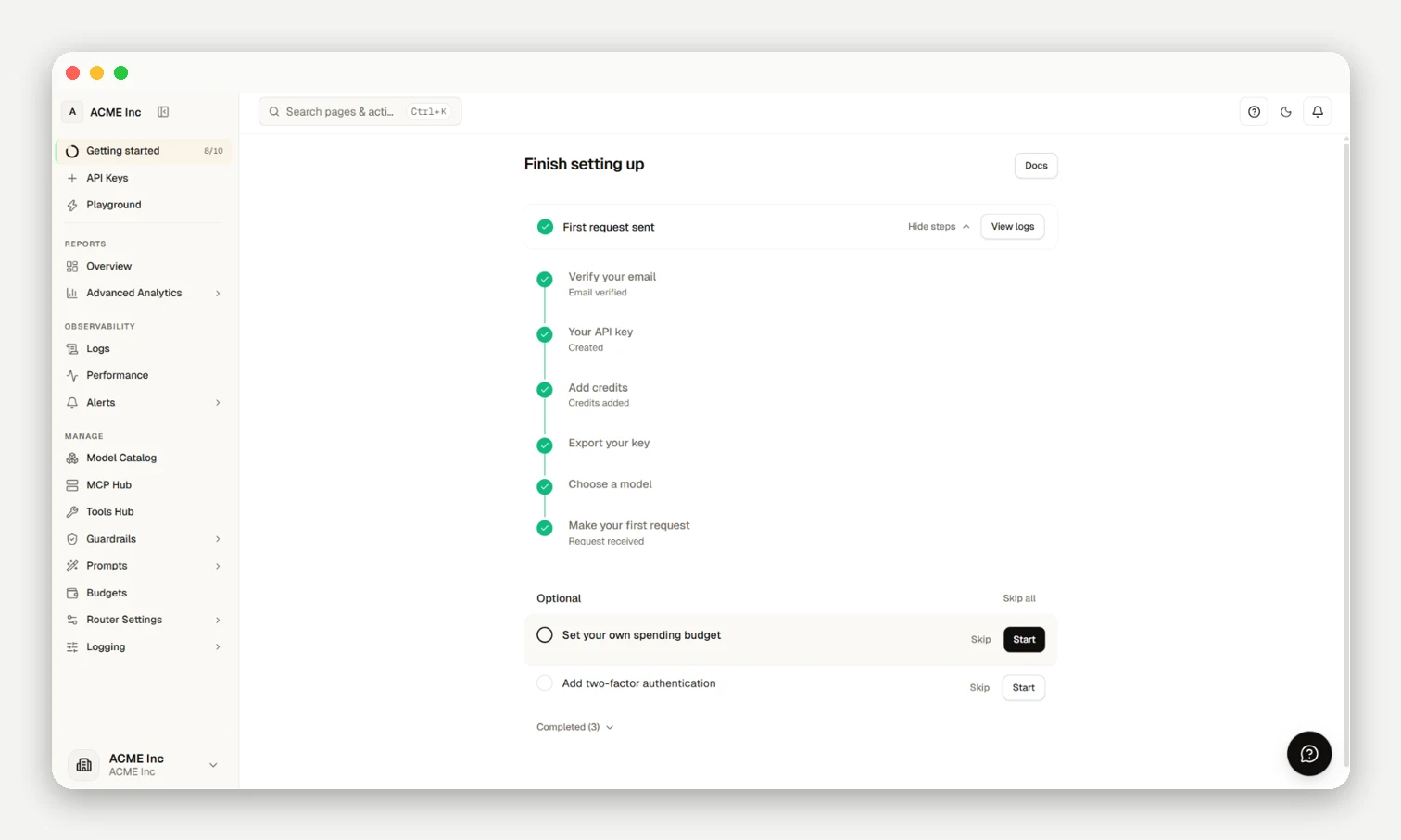
Quick Navigation
- Quick Start · API Key Management · Playground
- Observability & Logs · Router Settings · Budget Controls
- Analytics & Reports · Billing & Credits · Guardrails
Two ways to ask for a model
Configure routing under Router Settings:
- Direct: You name a model and nRouter never swaps it for another; fallbacks answer only if the provider cannot take the request.
nrouter/auto: Routes dynamically across candidate models by preference (Best for the task or Lowest cost), settling at exact upstream list prices (x-nr-modelreturns the responding model).
Fallbacks activate only on provider failure: an upstream 429, 503 or Anthropic 529, a 401 or 404 from a misconfigured provider deployment, a connection that never opened, or a provider that sends no first byte in time.
Account & Organization Settings Navigation
To access your settings in the customer dashboard:
- Click the pinned account menu at the bottom-left of the sidebar (
SidebarAccountMenu). - Selecting settings opens the
AccountSettingsModal, displaying Org Settings (organization profile, member defaults, security policies) directly above Profile Settings (personal credentials, notification preferences, sessions). - Note: Quick settings and personal profile preferences are accessed via this sidebar menu (
SidebarAccountMenu); there is no topbar user menu. Comprehensive organization settings remain accessible at/[organization]/settings.
Operational Facts
Key secrets (sk-nrouter-*) are shown once at creation. Administrative actions require Owner or Org Admin roles. Press ⌘K (Mac) or Ctrl+K (Windows/Linux) to open the command palette.
Frequently asked questions
Can I change settings from the dashboard home page?
No, the home page is a read-only summary; configuration changes take place in dedicated sub-pages.
I lost a virtual key's secret. Can I see it again?
No, full secrets are shown only once at creation; generate a replacement key, migrate traffic, and revoke the previous key.
What happens when a key reaches its hard spending cap?
Subsequent requests return HTTP 402 until the cap is raised or the budget window resets.
A setting or page is missing from my dashboard. Why?
Settings are gated by RBAC roles (Owner/Org Admin) or active organization features.
How do I jump to a dashboard page quickly?
Press ⌘K (macOS) or Ctrl+K (Windows/Linux) to search and jump to any console view.